Forms, typed by code
- Greenhouse
- Lever
- Ashby
- Workday
- iCIMS
- Taleo
- and more
The agent reads the page and maps the fields. The model only decides. LinKit's own code does the typing.
LinKit All finds jobs on 295 sources, tailors your CV a few words at a time, and fills in the application forms. Questions it should not guess wait for you.
Sample form on a practice job board.
Sample run
1,284 jobs from 295 sources
37 strong, 112 possible
295 sources: job APIs, boards, career pages
Practice mode never presses Submit
Sensitive questions wait for you
Your data stays on this computer
Forms get filled, sites that need an account get one, and anything that should be your call comes back to you. This is the part of a job search that is mostly typing.
The agent reads the page and maps the fields. The model only decides. LinKit's own code does the typing.
It presses Apply and follows up to 3 hops to the real form.
To: jobs@example.com Subject: Product Analyst
A short cover email with your CV as uploaded.
Accounts there get banned, so LinKit does not touch them. The LinKit Fill browser extension fills the form in your own browser, and you press Submit.
It fills everything, takes screenshots and never presses Submit. Applying for real is a switch you turn on. A job counts as applied only with proof: a confirmation page or an email. Without it the job is marked failed, with the reason.
Five steps, each one runnable on its own. Open a folder tab.
One search across public job APIs, job boards, regional sites and any careers page you paste. Duplicates are merged, and each site is paced so it is not hammered.
LinkedIn hiring posts and Telegram channels are opt-in.
Offline scam and ghost-job scores, in English and Arabic, with no AI call. Likely scams are dropped. Likely ghost jobs rank low.
Scam signs: fees, contact moved off the platform, crypto or ID requests, a domain that does not match.
Ghost signs: old postings, repeat sightings across runs, vague evergreen text.
A free local model compares your CV with each job. Then your AI scores the best ones, in batches. The cut-offs are yours to change.
A few words change per job, never a rewrite. Layout, employers, titles, dates and numbers never change, and rules check every edit. Word, LaTeX, ODT and PDF CVs are supported. If the result does not match the original layout, the edits are rolled back.
Sample edit
Built reports for the product team Built product analytics reports for the team
The funnel from found to applied, results per site and per career page, for each run and over time. Export to CSV or PDF.
Sample funnel
Use what you already pay for, or run a model on your own machine.
115 real job postings, run in Practice mode with a made-up profile. Of the 70 the app may finish on its own, 67 (96%) went as far as Practice mode allows. Nothing was submitted. A small sample, not a success rate.
Read the scorecard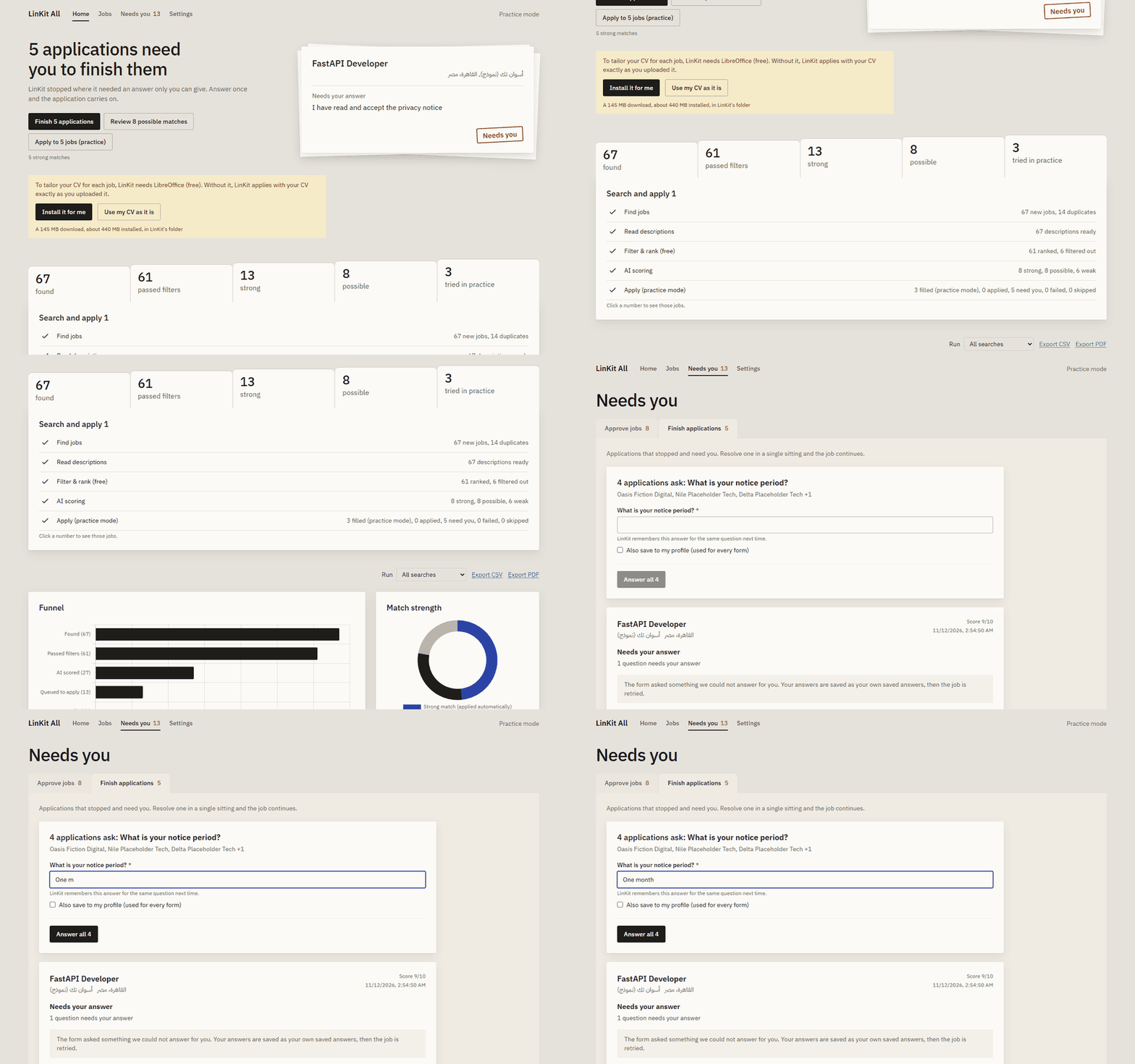
Two things that are not available yet.
Install it on your phone over your own private network. Start and pause runs, approve jobs, answer questions and fill in an answer sheet. Push alerts carry no personal text.
Coming soonA Gigs workspace beside Jobs. It finds and scores gigs on Upwork, Freelancer.com, Mostaql, Khamsat, Ureed and Bahr, and drafts proposals in English. You send them.
Coming soonBots that click Easy Apply on LinkedIn put your account at risk and send the same CV everywhere. LinKit All never drives LinkedIn. It ranks jobs against your CV first, tailors the CV a few words per job, applies on company sites like Greenhouse, Lever, Ashby and Workday, and leaves visa, salary and similar questions to you.
It starts in Practice mode: it fills every form and takes screenshots but never presses Submit. Applying for real is a switch you turn on, and each submit waits for your OK unless you turn that off. Your data stays in one folder on your computer, and saved passwords are in an encrypted vault.
It finds LinkedIn, Indeed and Glassdoor listings, but it never drives those sites, because automated applying gets accounts banned there. The LinKit Fill browser extension fills their forms in your own browser, and you press Submit.
The one you already have: a ChatGPT plan through the Codex CLI, a Claude plan through the Claude Code CLI, an API key, or a local model through Ollama or LM Studio. With a local model, your CV and job text stay on your computer.
Yes. LinKit All is free and open source under AGPL-3.0, with no account. AI use counts against your own plan or API key; a local model costs nothing extra.
It is built not to. It changes a few words per job and keeps your layout, and rules refuse edits that change employers, titles, dates, degrees, numbers or contact details. In the project's own test, 17 of 19 planted dishonest edits were refused, and you can read every change in a red-line view before anything is sent.
uv tool install linkit-alllinkit. The app opens in your browser.Windows, macOS and Linux · Python 3.11.5 or newer · Free and open source, AGPL-3.0